
Kitchen Sink
Jedes Element, jede Frame-Variante.
Diese Seite läuft im Produktionsbuild mit — ein Fehler hier bricht den Build. Sie ist nicht indexiert und steht in keiner Navigation.
background: default
--surface — der Standard.
Weiss. Trägt den grössten Teil der Seite.
background: quiet
quiet — das neutrale Band zum Absetzen.
Leicht abgesenkt. Trägt heute das Trusted-by-Band.
background: tinted · Ton 1
tinted — den Ton waehlt das Theme, nicht der Inhalt.
Die Marke färbt das Grau, statt daneben zu stehen. Drei Töne, dann fängt die Reihe von vorn an — der Inhalt sagt nur «getönt». Pink steht nicht mehr in der Reihe, gestrichen an EINER Stelle im Theme.
background: tinted · Ton 2
Dieselbe Rolle, zweiter Ton.
Aus der 50er-Reihe. Für abwechselnde helle Abschnitte, statt Verlaufsflächen.
background: tinted · Ton 3
Dieselbe Rolle, dritter Ton — danach faengt die Reihe von vorn an.
Gleiche Aufgabe, anderer Markenton.
background: inverse
--surface-inverse — die Ausnahme.
Die Rollen kehren um: Flächen werden tiefviolett, der Akzent wechselt von Violett auf Pink, der warme Highlight-Ton bleibt.
background: statement
--surface-brand — das Statement-Band.
Die Rolle gab es, das gestaltete Band nicht. Die Fläche IST die Gestaltung: dieselbe Rollen-Umkehr wie beim Dunkelband, dadurch trägt der Akzent Pink. Keine erfundene Zweitfarbe, keine Zierde.
Signatur · erstes Band
Die Zierde sitzt immer auf der freien Seite.
Der Inhalt sagt nur «signature». Welches Motiv und welche Ecke, entscheidet die Reihenfolge auf der Seite — die von Palo untersagte gedrehte Fassung ist dabei nicht erreichbar.
Signatur · zweites Band
Anderes Motiv, wieder rechts vom Text.
Immer volle Deckkraft. Ist es zu laut, den Hintergrund aufhellen — nie das Motiv schwächen. Jedes Motiv mit linker Ecke wird gespiegelt, damit es nie auf der Textspalte liegt.
Signatur · drittes Band
Der Umlauf geht durch alle vier Motive.
Das aufrechte Motiv — die Verlaufsachse zeigt wieder nach oben. Schmal fällt die Zierde ganz weg: dort gibt es keine freie Ecke mehr.
Signatur · viertes Band
Danach faengt die Reihe von vorn an.
Ein Motiv aus dem Umlauf nehmen heisst: eine Zeile in src/lib/decoration.ts, nicht eine Suche durch alle Inhalte.
T1 Glas — über Muster
Glas wirkt nur über etwas.
Hier liegt es über dem Pattern: Unschärfe, Sättigung und die feine helle Kante werden sichtbar.
T1 Glas — über Weiss
Dieselben Kacheln, ohne Grund darunter.
Das ist die Lektion: über flachem Weiss ist Glas unsichtbar und damit reine Dekoration.
width: narrow
Das Konversionsband.
Schmal und zentriert sind EINE Fassung, kein zweites Feld. Die Zeilenlänge sitzt weiterhin am Textelement — die Breite hier ist der Rahmen, nicht das Mass.
E2 richText
Redaktionelle Absätze.
Absätze, Zwischenüberschriften, Aufzählung, vorformatierter Block. Inline: fett, Code, Link.
Ein Absatz mit fetter Auszeichnung, einem Link zur Home und einem Inline-Wert wie v=DMARC1; p=reject mitten im Satz. Genau dafür gibt es kein eigenes Code-Element.
Zwischenüberschrift zweiter Ebene
Der Anker steht nicht im Inhalt: er entsteht aus dem Text und löst Gleichnamigkeit dokumentweit auf. Auch Auszeichnung wie p=reject funktioniert in der Überschrift.
Dritte Ebene, eine Stufe kleiner
- Erster Punkt
- Zweiter Punkt mit Auszeichnung
- Dritter Punkt
docker run -d --name cyberdise \
  -p 8080:8080 \
  cyberdise/free-edition:latest
Aufzählung ohne Haken
Derselbe Block mit listMarker: plain. Der Haken behauptet etwas — vor einer Aufzählung in einem Rechtstext das Falsche.
- Gerichte, Regulierungsbehörden und Strafverfolgungsbehörden
- Auftragsverarbeiter für Hosting, Kommunikation und Abrechnung
- Berufliche Berater, Prüfer und Versicherer
E4 media
Fünf Sorten Medium.
photo, diagram, cutout, video. Der Screenshot fehlt noch — Produkt-Assets stehen aus (offener Punkt Q2).

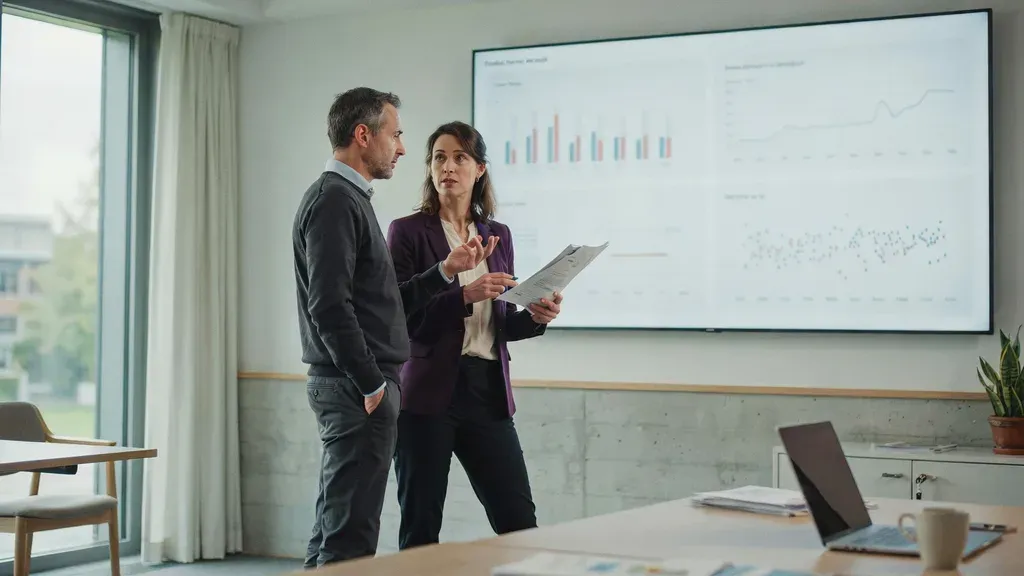

E4c media · scroll
A long screenshot scrolls inside its frame.
Switched on per screenshot: the frame keeps its proportions, the picture its full height. Tab to the screen and scroll with the arrow keys; at its end the page scrolls on.
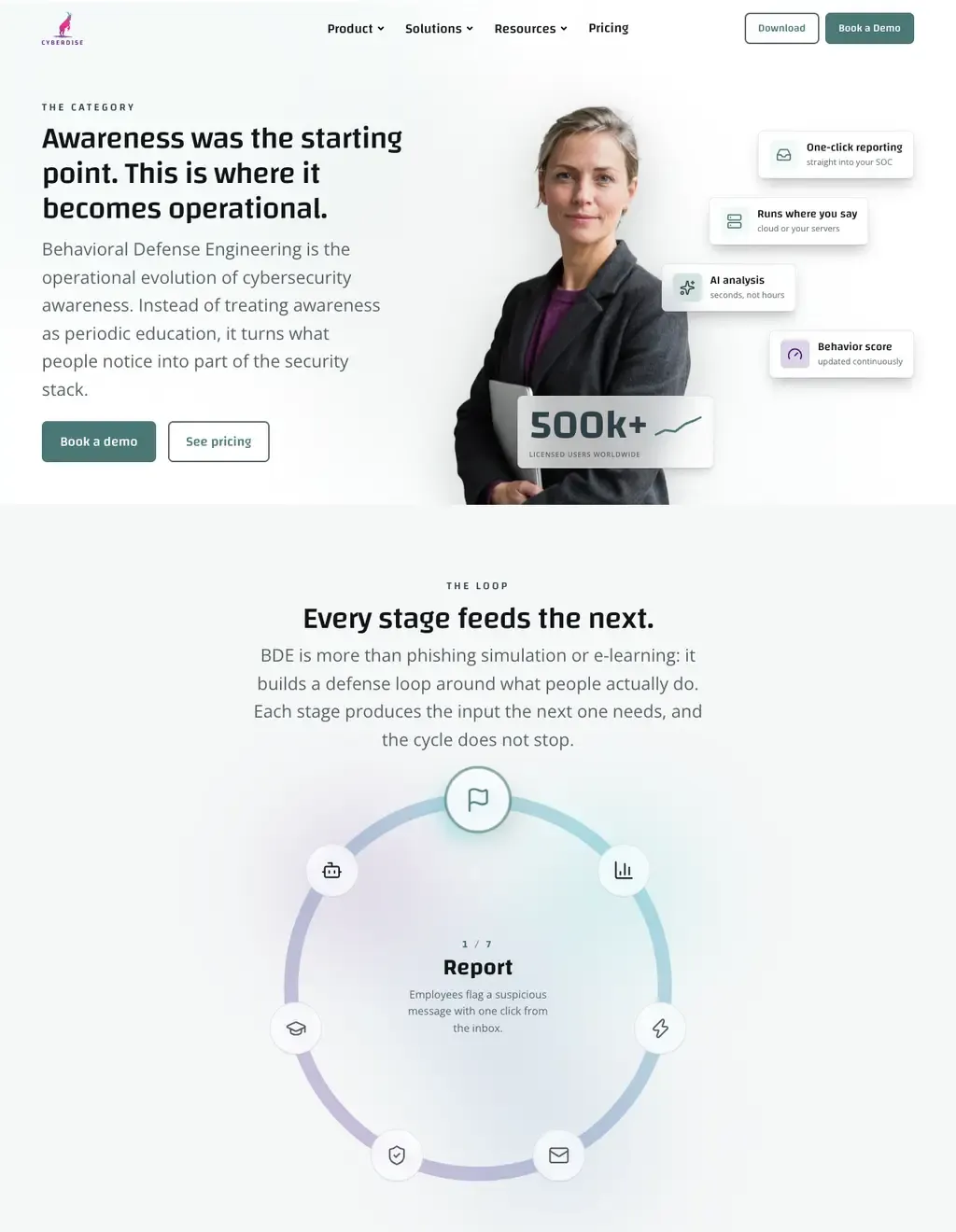

E5 textMediaSplit
Zweispalter — das einzige umbrechende Muster.
Text links, Medium rechts.
Alle Felder belegt: Headline, Copy, Aufzählung, Link, Medium, flip.
- Erster Beleg
- Zweiter Beleg
- Dritter Beleg
flip: true — Medium zuerst, auch im Markup.
Die Lesereihenfolge dreht sich mit. Eine reine CSS-order-Lösung würde Auge und Screenreader auseinanderlaufen lassen.
- Markup folgt der Optik
E6 tileGrid
Drei Varianten, kein cols-Feld.
Das Raster zählt seine Spalten selbst herunter. Gesteuert wird nur, wie schmal eine Kachel werden darf.
01variant: numbertileMin: 12rem — schmalere Kacheln.
02Zweite KachelDie Zahl trägt den Schrift-Verlauf.
03Dritte KachelKein Breakpoint nötig.
variant: checkHaken als Auftakt — für Leistungslisten.
Zweite KachelGleiche Kachel, anderes Zeichen.
Dritte KachelGleiche Regeln.
E7 statRow
Zahl, Beschreibung, Pflicht-Quelle.
Ohne src lässt das Schema die Sektion gar nicht erst zu.
Up to 60%better risk behavior, compared to conventional tools.
AISPthe study behind the figure.
Source: AISP study — full whitepaper available
E8 steps · der Prozess
Ein Element, mehrere Darstellungen.
Dieselben Daten und Felder — nur die Darstellung wechselt: Liste, Timeline (waagerecht und senkrecht) und der geschlossene Loop. Die Schrittzahl ist dynamisch (3–7).
- 01display: 'list'Abfolge mit offenem Ende — ein <ol>, nicht nur optisch nummeriert.
- 02Zweiter SchrittGleiche Kachel in jeder Fassung.
- 03Dritter SchrittNur die Darstellung wechselt.
- timeline · horizontalFortschritt entlang einer Linie, mit Anfang und Ende.
- Zweiter SchrittStationen in einer Reihe.
- Dritter SchrittDer Pfeil markiert das Ende.
- 01horizontal (mehr als 5)Passen die Stationen nicht aufs Bild, scrollt die Reihe selbst L→R durch.
- 02AnalyzeSticky, volle Hoehe.
- 03RespondtranslateX statt Highlight.
- 04FeedbackFeste Stationsbreite.
- 05PracticeDie Reihe ist breiter als das Bild.
- 06AdaptDer Scroll schiebt sie durch.
- 07RepeatAnfang links, Ende rechts.
- timeline · verticalDieselbe Linie, senkrecht — die Stationen stapeln sich.
- Zweiter SchrittDie Linie läuft längs an der Nummern-Schiene.
- Dritter SchrittDer Pfeil zeigt nach unten.
- timeline · centeredKarten wechseln links/rechts an einer Mittellinie.
- Zweiter SchrittZickzack — die einzige Fassung mit Karten.
- Dritter SchrittDie Station sitzt auf der Mittellinie.
- Vierter SchrittAuf Mobil klappt es zur Laengsliste.
- 01DetectDas Signal entsteht im Verhalten, nicht im Filter.
- 02AdaptDie Übung passt sich an, während sie läuft.
- 03ProveDer Fortschritt ist belegt, nicht behauptet.
- loop · fixedGeschlossener Kreislauf — der Ring steht, die Aktivierung wandert.
- Zweiter SchrittGleiche Kachel in jeder Fassung.
- Dritter SchrittDer Ring führt zurück zum ersten.
- loop · rotateDer ganze Ring dreht, der aktive Schritt schwenkt nach oben.
- Zweiter Schritt360/n verteilt die Knoten gleichmässig.
- Dritter SchrittSkaliert dynamisch mit der Schrittzahl.
- Vierter SchrittGetestet bis sieben Schritte.
- Fünfter SchrittEin Icon je Station.
- Sechster SchrittDer Umlauf schliesst den Kreis.
E9 quote
Echte Stimmen, vollstaendige Attribution.
Cyberdise is a modern system, very flexible and at an attractive price.
 Frank v. StettenManaging DirectorHvS-Consulting
The AI-driven approach in particular ensures a high degree of authenticity in the simulations.
Our employees are demonstrably more aware of cyber risks since we started.
 Luca ArmelliniHead of ITMaréchaux Management AG
E9 quote — carousel
Dieselben Stimmen, ohne Kartenrahmen.
Cyberdise is a modern system, very flexible and at an attractive price. It is the right phishing simulation solution for us and our customers.
Frank v. StettenManaging DirectorOur employees are demonstrably more aware of cyber risks since we started. The platform is flexible, multilingual, and simple to run across the whole group.
Luca ArmelliniHead of ITMaréchaux Management AG
E20 expertQuote
Eine Stimme mitten im Fliesstext.
Nicht die Marketing-Variante von E9: hier steht genau EINE Stimme, einspaltig und gross gesetzt, und unterbricht den Artikel bewusst. Das Portrait ist optional — die zweite Fassung zeigt den Fall ohne Bild, sie rendert ohne Platzhalter.

Traditional awareness changes knowledge. Behavioral Defense Engineering changes how people act.
Our research shows employees can become an effective first line of defense, but only if the right tools are deployed at the exact right time.
E15 logoStrip
Vertrauensband mit Maske und Laufband.
Trusted by
E16 awardWall
Echte Medaillen statt Text-Pillen.
Die Badge-Bilder sind Trust-Marks — sie tragen ihr eigenes Gold und Schwarz und werden NICHT über Rollenfarben eingefärbt (anders als logoStrip). Oben die Reihe wie auf der Home, darunter dieselbe Reihe mit featured auf dem Leit-Award.

Globee AwardsGold Winner — Cybersecurity2024 
Cybersecurity Excellence AwardsDouble Winner2024 
Global InfoSec AwardsInnovative Service — Cybersecurity Awareness2025
Globee AwardsGold Winner — Cybersecurity2024 Cybersecurity Excellence AwardsDouble Winner2024 Global InfoSec AwardsInnovative Service — Cybersecurity Awareness2025
E18 cardFeed
limit schneidet die Quelle ab.
Vier Einträge liegen vor, limit: 3 — drei Karten erscheinen.

E17 teamGrid
Die Personenkarte — Portrait oder Monogramm.
Oben die About-Fassung: drei Personen, jede mit Portrait, E-Mail und LinkedIn. Darunter dasselbe Raster mit sechs Karten, um den Umbruch zu zeigen — es sind DIESELBEN drei Personen ein zweites Mal, in den Zuständen ohne Portrait und ohne Kurztext. Das Raster fliesst (auto-fill ab 17rem), es braucht keine Spaltenzahl im Content. photo, bio und contact sind einzeln optional: fehlt das Foto, trägt die Karte ein Initialen-Monogramm in der Signaturschrift statt grauer Leere; die Kontaktzeile am Kartenfuss zeigt nur die Wege, die wirklich hinterlegt sind. Telefonnummern stehen bewusst auf keiner Karte (Joël, 12.08.) — die allgemeine Nummer gehört in den Fuss.



- Joël WaldmüllerHead of Content and Automation
Builds the training material, and the tooling that produces it.
A3 Hero-Komposition — bewusst TIEF auf der Seite
Hier zeigt sich der Parallax-Fehler, oben nie.
Der Scroll-Parallax rechnet gegen getBoundingClientRect der Sektion. Gegen absolutes scrollY gerechnet, driften Pattern und Person aus der Sektion heraus und werden von overflow:hidden abgeschnitten.
Machine-speed response
60%
better risk behavior · proven
AISP study — full whitepaper availableAI-first. Behavior-first.
how people actually behave
Swiss precision
service culture · reliability
100+ countries
MSSP-trusted, worldwide
Trusted by
A3b Hero-Komposition — variant: compact
No float row, no cutout — a screenshot leads instead.
The lean shape the approved sitemap calls for on the ten product/company pages: headline, lead, media, CTAs. Zero floats is valid here.
A3c Hero-Komposition — video-kind media
A real <video>, not a thrown error.
source: video renders a native player with controls and captions, positioned via the same kind-aware path as screenshot/cutout.
E3 ctas
Knöpfe als eigenes Element.
E10 compareTable
Awareness training teaches. Behavior change requires more.
Traditional awareness programs were built for periodic education. AI-era attacks require continuous behavioral detection and rapid response.
The conventional modelAwareness Training
The Cyberdise wayBehavioral Defense Engineering
One-size-fits-all training
Same content for every employee, regardless of their actual risk profile. Completion is the metric. Behavior isn't measured.
Engineered behavior change
AI-personalized simulations and training, matched to each user's risk score. You measure what actually matters: behavior.
Compliance-driven, not risk-driven
Built to satisfy auditors. The checkbox gets ticked. The breach probability doesn't move.
Risk-driven. Board-ready proof.
Behavioral risk scores per department, tracked over time. Numbers which your CISO, your board, and your auditors can all use.
Changes what employees know
Traditional awareness treats security as periodic education.
Changes how the organization detects, responds, and adapts
Human signals become part of the security stack — reporting, analysis, response, feedback, simulation, and training in one adaptive loop.
Periodic. Quarterly by design.
Quarterly awareness logic is too slow for machine-speed attack conditions.
Continuous. Updated every click.
Risk scores update with every click, report, and response — interventions trigger when behavior shifts, in real time.
E10 · variant: compact — no captions, no details
Heading-only rows, no column captions.
Legacy tooling
Cyberdise
Manual triage
Automated triage
Signature-based detection
Behavior-based detection
Reactive
Proactive
E10 · variant: captions, no details
Column captions, heading-only rows.
YesterdayPoint solutions
TodayUnified platform
Fragmented alerts
Correlated signals
Tool sprawl
One control plane
E10 · variant: single row with details (minimum)
One contrast, full detail — the min-row boundary.
Annual training
Continuous defense
Once a year
A single module, then silence for twelve months.
Every day
Adaptive nudges triggered by real behavioral signals.
E10 · variant: tone neutral, long unbreakable address
Two equal columns, no verdict — a long address wraps inside its column.
Germany
Switzerland
Where to report
phishing@verbraucherzentrale.nrw
https://www.verbraucherzentrale.nrw/phishing-radar-meldung-abgeben-aktuelle-warnungen
reports@antiphishing.ch
Reports go to the national cyber security centre.
E10 · variant: category labels outside (noevu-crm style)
Row categories sit left of the table, no background.
Awareness Training
Behavioral Defense
Targeting
One-size-fits-all
Per-user risk score
Cadence
Quarterly
Continuous
Metric
Completion
Behavior change
Proof
Checkbox ticked
Board-ready scores
E13 faq
Aufklapp-Liste — native <details>, kein Skript.
Frage/Antwort-Paare auf Pricing, Get-Pricing und Contact. Der offene Eintrag markiert sich allein durch den Verlaufs-Glow ringsum — Frage und Melder färben sich, kein Trennstrich schneidet ihn oben oder unten. Die letzte Frage zeigt den Platzhalter für eine noch offene Antwort — erfunden wird nichts.
Is Cyberdise a SaaS platform?
Yes, but not only that. The platform is offered with server locations in Germany and Switzerland, and Cyberdise Awareness can also run in a local cloud or on-premise. Want another region? We are happy to set up the infrastructure.
Our company has an on-premise IT strategy. Can Cyberdise Awareness be deployed on-premise?
Yes. Learn more in our Knowledge Base.
Does Cyberdise support multitenancy?
Yes — a three-tier structure (Instance–Tenant–Realm). As a Swiss company we ensure tenant segregation meets GDPR, DSGVO, nDSG, and CSPA.
Are there APIs available?
Several: a RESTful API for application integration, plus LDAP, Microsoft Entra / Azure, DNS, and SMS APIs.
Where should the public Q&A live — the website or the public Zendesk area?
— answer pending —
E12 productCards
Vier Produkte, zwei Suiten.
Das Layout trägt das Produktmodell (Stand 2026-08-12): Cyberdise Community · Simulate · Awareness · Verify als gleichwertige Produktkarten, Behavioral Defense und MSSP darunter als breite Suiten. Verify ist eine Produktkarte UND ein Zukauf-Paket zu Awareness Plus — in der Matrix ist es KEINE Spalte. Der Preis-Slot bleibt leer bis CB-1382 — «Pricing on request», kein erfundener Wert.
OpenPreise und Produkt-CTAs sind Platzhalter bis Epic CB-1382. Kein Preis wird erfunden — jeder Slot zeigt «Pricing on request».
- Docker self-install
- Email phishing simulations
- Up to 600 messages / month
- Best-practice attack & eLearning templates
- Email phishing simulations
- Scenario & template library
- AI Phishing Generator & translators
- Reporting on clicks, opens & submissions
- Learning Management System (LMS)
- Awareness Portal
- CBT library
- Reminders & Escalation Engine
- Report Button
- Threat Analysis & triage
- Autoresponder
- SOAR / SOC integration
- API layer
- Everything in Simulate, Awareness & Verify
- Adaptive Programs with full AI automation
- OSINT & Educational Vulnerability Profiles
- Behavioral Risk Scoring
- Positive Reinforcement & dynamic risk grouping
- Managed Behavioral Defense
- Omnichannel included (vishing, smishing, QR, Teams)
- Multi-level multi-tenancy & full white-label
- Reseller-optimized pricing
- REST API into your SIEM / SOAR / ticketing stack
add-ons
Extend any product.
Three add-ons from the feature list — booked on top of any product, not separate tiers.
E11 featureMatrix
Every feature, by product.
85 features across the six products, generated from the client feature list — never hand-authored. Two rows are package headings (Omnichannel, Verify): they carry no cells, they name what the rows beneath them buy. The header sticks, the feature column freezes; scroll and you always know which product and which feature a cell means.
| Feature | Simulate | Awareness | Awareness Plus | Behavioral Defense | MSSP |
|---|---|---|---|---|---|
| Platform & Administration | |||||
| SaaS (Cloud Hosting) | included | included | included | included | included |
| OnPrem | not included | not included | Add-on | Add-on | Add-on |
| Multi-Level Multi-Tenant | not included | not included | included | included | included |
| Multi Microsoft Tenants Support | not included | not included | included | included | included |
| AI Tenant Configurator | not included | not included | included | included | included |
| Anonymization & Partial Anonymization | included | included | included | included | included |
| Integrations & Provisioning | |||||
| AI-Layer | included | included | included | included | included |
| REST API and 3rd Party Integration | not included | not included | included | included | included |
| LDAP User Import and Sync | not included | not included | included | included | included |
| Entra User Import and Sync | not included | not included | included | included | included |
| Custom System Domain | included | included | included | included | included |
| Custom Training Domain | not included | included | included | included | included |
| Custom Phishing Domains | included | included | included | included | included |
| Direct Message Injection | not included | not included | included | included | included |
| API Layer | not included | not included | included | included | included |
| SOAR and SOC Integration | not included | not included | included | included | included |
| Recipients & Personalization | |||||
| Multi-Layered Recipient Groups | not included | not included | included | included | included |
| Dynamic Recipient Groups | not included | not included | included | included | included |
| Per-Realm Variables | not included | not included | included | included | included |
| Custom Variables | included | included | included | included | included |
| Gender Variables | included | included | included | included | included |
| AI Variables | not included | not included | included | included | included |
| Phishing Simulation | |||||
| Data Entry Phishing Exercises | included | included | included | included | included |
| Hyperlink Exercises | included | included | included | included | included |
| File-Based Exercises | included | included | included | included | included |
| Double Barrel | included | included | included | included | included |
| Multi Attack Campaigns | included | included | included | included | included |
| Skill-based Campaigns | not included | not included | included | included | included |
| Spear Phishing Simulation | included | included | included | included | included |
| AI-Spear Phishing Simulation | included | included | included | included | included |
| Website Cloner | included | included | included | included | included |
| Redirect to Awareness | included | included | included | included | included |
| AI Phishing Generator | included | included | included | included | included |
| Awareness Training & LMS | |||||
| LMS | not included | included | included | included | included |
| Portal | not included | included | included | included | included |
| Skill-based E-Learning | not included | not included | included | included | included |
| SCORM Import and Player | not included | not included | included | included | included |
| SCORM Export | not included | not included | included | included | included |
| Escalate | not included | included | included | included | included |
| Cybersecurity Chatbot | not included | not included | included | included | included |
| Content & Templates | |||||
| Adoptable Templates | included | included | included | included | included |
| Multilingual Templates | included | included | included | included | included |
| AI empowered Template Translator | included | included | included | included | included |
| Attack Template Library | Extended | Extended | Full | Full | Full |
| Training Template Library | not included | Extended | Full | Full | Full |
| Program, Campaigns & Automation | |||||
| Awareness Program Configurator | not included | not included | included | included | included |
| Awareness AI Assistant | not included | not included | included | included | included |
| Awareness Campaign Automator | not included | not included | included | included | included |
| Reporting & Analytics | |||||
| Detailed Campaign Statistics | included | included | included | included | included |
| Anonymous Community Benchmarking | included | included | included | included | included |
| Report generation | not included | not included | included | included | included |
| Threat Detection & Response | |||||
| Report-a-Phish Button (M365/Gmail) | included | included | included | included | included |
| Incident & Case Management Dashboard | not included | not included | not included | included | included |
| Signal & Case Automations | not included | not included | not included | included | included |
| AI Message Analyzer | not included | not included | not included | included | included |
| Incident Auto Responder with AI Analysis | not included | not included | not included | included | included |
| Behavioral Defense & Risk | |||||
| OSINT Reconnaissance Module | not included | not included | not included | included | included |
| Mail to Phish | not included | not included | not included | included | included |
| Behavioral Risk Scoring | not included | not included | not included | included | included |
| Behavioral Automation | not included | not included | not included | included | included |
| Adaptive Programs with AI Automation | not included | not included | not included | included | included |
| Risk Profile | not included | not included | included | included | included |
| Skill Profile | not included | not included | included | included | included |
| Dynamic Risk Grouping | not included | not included | included | included | included |
| Positive Behavioral Reinforcement | not included | not included | not included | included | included |
| Repeat Successful Scenarios | not included | not included | not included | included | included |
| Risk & Skill-Based Orchestration | not included | not included | not included | included | included |
| Services & Support | |||||
| Support Level | Standard | Standard | Premium | Premium | Business |
| Customer Success Manager | Shared | Shared | Dedicated | Dedicated | Shared |
| Managed Behavioral Defense Services | not included | not included | not included | Optional | Optional |
| Add-on | |||||
| OnPrem Add-on | not included | not included | Add-on | Add-on | Add-on |
| Branding Add-on | not included | not included | Add-on | Add-on | included |
| Omnichannel Add-on | |||||
| Smishing | not included | not included | Add-on | included | included |
| Vishing | not included | not included | Add-on | included | included |
| QR code attack | not included | not included | Add-on | included | included |
| MS Teams attacks | not included | not included | Add-on | included | included |
| Multichannel Simulation | not included | not included | Add-on | included | included |
| Verify Add-on | |||||
| REST API and 3rd Party Integration | not included | not included | Add-on | included | included |
| API Layer | not included | not included | Add-on | included | included |
| SOAR and SOC Integration | not included | not included | Add-on | included | included |
| Report-a-Phish Button (M365/Gmail) | not included | not included | Add-on | included | included |
| Incident & Case Management Dashboard | not included | not included | Add-on | included | included |
| Signal & Case Automations | not included | not included | Add-on | included | included |
| AI Message Analyzer | not included | not included | Add-on | included | included |
| Incident Auto Responder with AI Analysis | not included | not included | Add-on | included | included |
E11 featureMatrix · height: full
Dieselbe Matrix, volle Höhe.
Kein Deckel, kein Vertikal-Scroll — die ganze Tabelle steht, die Seite scrollt. Für Druck/Übersicht. Der waagerechte Überlauf bleibt trotzdem in der Hülle.
| Feature | Simulate | Awareness | Awareness Plus | Behavioral Defense | MSSP |
|---|---|---|---|---|---|
| Platform & Administration | |||||
| SaaS (Cloud Hosting) | included | included | included | included | included |
| OnPrem | not included | not included | Add-on | Add-on | Add-on |
| Multi-Level Multi-Tenant | not included | not included | included | included | included |
| Multi Microsoft Tenants Support | not included | not included | included | included | included |
| AI Tenant Configurator | not included | not included | included | included | included |
| Anonymization & Partial Anonymization | included | included | included | included | included |
| Integrations & Provisioning | |||||
| AI-Layer | included | included | included | included | included |
| REST API and 3rd Party Integration | not included | not included | included | included | included |
| LDAP User Import and Sync | not included | not included | included | included | included |
| Entra User Import and Sync | not included | not included | included | included | included |
| Custom System Domain | included | included | included | included | included |
| Custom Training Domain | not included | included | included | included | included |
| Custom Phishing Domains | included | included | included | included | included |
| Direct Message Injection | not included | not included | included | included | included |
| API Layer | not included | not included | included | included | included |
| SOAR and SOC Integration | not included | not included | included | included | included |
| Recipients & Personalization | |||||
| Multi-Layered Recipient Groups | not included | not included | included | included | included |
| Dynamic Recipient Groups | not included | not included | included | included | included |
| Per-Realm Variables | not included | not included | included | included | included |
| Custom Variables | included | included | included | included | included |
| Gender Variables | included | included | included | included | included |
| AI Variables | not included | not included | included | included | included |
| Phishing Simulation | |||||
| Data Entry Phishing Exercises | included | included | included | included | included |
| Hyperlink Exercises | included | included | included | included | included |
| File-Based Exercises | included | included | included | included | included |
| Double Barrel | included | included | included | included | included |
| Multi Attack Campaigns | included | included | included | included | included |
| Skill-based Campaigns | not included | not included | included | included | included |
| Spear Phishing Simulation | included | included | included | included | included |
| AI-Spear Phishing Simulation | included | included | included | included | included |
| Website Cloner | included | included | included | included | included |
| Redirect to Awareness | included | included | included | included | included |
| AI Phishing Generator | included | included | included | included | included |
| Awareness Training & LMS | |||||
| LMS | not included | included | included | included | included |
| Portal | not included | included | included | included | included |
| Skill-based E-Learning | not included | not included | included | included | included |
| SCORM Import and Player | not included | not included | included | included | included |
| SCORM Export | not included | not included | included | included | included |
| Escalate | not included | included | included | included | included |
| Cybersecurity Chatbot | not included | not included | included | included | included |
| Content & Templates | |||||
| Adoptable Templates | included | included | included | included | included |
| Multilingual Templates | included | included | included | included | included |
| AI empowered Template Translator | included | included | included | included | included |
| Attack Template Library | Extended | Extended | Full | Full | Full |
| Training Template Library | not included | Extended | Full | Full | Full |
| Program, Campaigns & Automation | |||||
| Awareness Program Configurator | not included | not included | included | included | included |
| Awareness AI Assistant | not included | not included | included | included | included |
| Awareness Campaign Automator | not included | not included | included | included | included |
| Reporting & Analytics | |||||
| Detailed Campaign Statistics | included | included | included | included | included |
| Anonymous Community Benchmarking | included | included | included | included | included |
| Report generation | not included | not included | included | included | included |
| Threat Detection & Response | |||||
| Report-a-Phish Button (M365/Gmail) | included | included | included | included | included |
| Incident & Case Management Dashboard | not included | not included | not included | included | included |
| Signal & Case Automations | not included | not included | not included | included | included |
| AI Message Analyzer | not included | not included | not included | included | included |
| Incident Auto Responder with AI Analysis | not included | not included | not included | included | included |
| Behavioral Defense & Risk | |||||
| OSINT Reconnaissance Module | not included | not included | not included | included | included |
| Mail to Phish | not included | not included | not included | included | included |
| Behavioral Risk Scoring | not included | not included | not included | included | included |
| Behavioral Automation | not included | not included | not included | included | included |
| Adaptive Programs with AI Automation | not included | not included | not included | included | included |
| Risk Profile | not included | not included | included | included | included |
| Skill Profile | not included | not included | included | included | included |
| Dynamic Risk Grouping | not included | not included | included | included | included |
| Positive Behavioral Reinforcement | not included | not included | not included | included | included |
| Repeat Successful Scenarios | not included | not included | not included | included | included |
| Risk & Skill-Based Orchestration | not included | not included | not included | included | included |
| Services & Support | |||||
| Support Level | Standard | Standard | Premium | Premium | Business |
| Customer Success Manager | Shared | Shared | Dedicated | Dedicated | Shared |
| Managed Behavioral Defense Services | not included | not included | not included | Optional | Optional |
| Add-on | |||||
| OnPrem Add-on | not included | not included | Add-on | Add-on | Add-on |
| Branding Add-on | not included | not included | Add-on | Add-on | included |
| Omnichannel Add-on | |||||
| Smishing | not included | not included | Add-on | included | included |
| Vishing | not included | not included | Add-on | included | included |
| QR code attack | not included | not included | Add-on | included | included |
| MS Teams attacks | not included | not included | Add-on | included | included |
| Multichannel Simulation | not included | not included | Add-on | included | included |
| Verify Add-on | |||||
| REST API and 3rd Party Integration | not included | not included | Add-on | included | included |
| API Layer | not included | not included | Add-on | included | included |
| SOAR and SOC Integration | not included | not included | Add-on | included | included |
| Report-a-Phish Button (M365/Gmail) | not included | not included | Add-on | included | included |
| Incident & Case Management Dashboard | not included | not included | Add-on | included | included |
| Signal & Case Automations | not included | not included | Add-on | included | included |
| AI Message Analyzer | not included | not included | Add-on | included | included |
| Incident Auto Responder with AI Analysis | not included | not included | Add-on | included | included |
E14 form
Das Formular — jeder Zustand gestaltet.
Eine Sprache, drei Groessen (Newsletter im Fuss, Get-Pricing, Contact). Ruhe · Fehler · Erfolg als eigene Zustaende. Validierung markiert UNTEN, nie mit fetter Seitenkante (A57). Absendeziel/Einwilligung bleiben offene Kundenfragen.
Zustand: Ruhe
Leer und bereit.
Zustand: Fehler
Markiert unten, mit Text.
Zustand: Erfolg
Bestaetigung an Ort und Stelle.
Zustand: Fokus
Das aktive Feld traegt den Ring.
Zustand: Ausgefuellt
Werte stehen, nichts ist markiert.
Zustand: Sendet
Der Knopf ist blockiert, nicht verschwunden.
Kompakte Reihe
Feld und Knopf nebeneinander — der Newsletter im Fuss.
Behavioral defense, monthly.
Ein Feld, ein Knopf, kein Newsletter-Ritual.
Variante: Kontaktspalte
Adresse, Telefon und E-Mail neben dem Formular.
Tell us about your environment.
What you run, who runs it, and what you are trying to improve.
Cyberdise AG
Poststrasse 26
6300 Zug, Switzerland
Variante: Newsletter-Einwilligung
Ein Haken, den nur der Mensch setzt.
E18 note
Der Hinweis — vier Töne, Icon optional.
Ein wiederverwendbarer Callout für echte Inhalts-Hinweise: neutral, Marke, bestätigend, Achtung. Das Icon ist optional. Nur semantische Rollen-Tokens — keine fette Seitenkante (A57), Tönung und Icon tragen die Bedeutung.
S · MSSP-Bento
Die bespoke MSSP-Sektion — drei Bento-Layouts.
Kein Element aus dem Katalog, sondern eine Komposition: gewaehlt ueber das Frame-Feld «layout.kind: bento», gerendert von Bento.astro. Inhalt und Kacheln sind in allen drei identisch — nur das Raster und die betonte Kachel unterscheiden sich. «standard» laeuft auf der Home.
- Variante D (Standard, Home) — zwei Diagramme, White-Label als eigene Spalte, CTA-Band unten.
- Variante B — grosser Held links, drei Diagramme, CTA-Band unten.
- Variante C — Mosaik, White-Label als Gradient-Akzent statt Diagramm.
MSSP-Bento · Variante D (Standard, Home)
Eight capabilities built for running Cyberdise as your own service.
Not just Managed Awareness — a platform to run behavioral defense as your own business. Multi-tenancy, white-label and operator efficiency, dedicated to service providers.
Multi-Level Multi-Tenant
One platform, unlimited fully isolated environments.
AI Tenant Configurator
AI sets up new tenants in minutes — no manual configuration.
System White Labelling
Put your brand across the entire Cyberdise platform.
Custom System Domain
An individual domain for each customer to access Cyberdise.
Per-Realm Variables
Set company-wide variables once — reuse across every template.
Awareness Campaign Automator
Automate campaign creation by prompt.
REST API & 3rd-Party Integration
Integrate Cyberdise into any IT environment via a full REST API.
SCORM Import & Player
Plug in your existing SCORM content — track results automatically.
Every capability, one composition.
MSSP-Bento · Variante B
Eight capabilities built for running Cyberdise as your own service.
Not just Managed Awareness — a platform to run behavioral defense as your own business. Multi-tenancy, white-label and operator efficiency, dedicated to service providers.
Multi-Level Multi-Tenant
One platform, unlimited fully isolated environments.
AI Tenant Configurator
AI sets up new tenants in minutes — no manual configuration.
System White Labelling
Put your brand across the entire Cyberdise platform.
Custom System Domain
An individual domain for each customer to access Cyberdise.
Per-Realm Variables
Set company-wide variables once — reuse across every template.
Awareness Campaign Automator
Automate campaign creation by prompt.
REST API & 3rd-Party Integration
Integrate Cyberdise into any IT environment via a full REST API.
SCORM Import & Player
Plug in your existing SCORM content — track results automatically.
The lead tile carries the weight, the rest follow.
MSSP-Bento · Variante C
Eight capabilities built for running Cyberdise as your own service.
Not just Managed Awareness — a platform to run behavioral defense as your own business. Multi-tenancy, white-label and operator efficiency, dedicated to service providers.
Multi-Level Multi-Tenant
One platform, unlimited fully isolated environments.
AI Tenant Configurator
AI sets up new tenants in minutes — no manual configuration.
System White Labelling
Put your brand across the entire Cyberdise platform.
Custom System Domain
An individual domain for each customer to access Cyberdise.
Per-Realm Variables
Set company-wide variables once — reuse across every template.
Awareness Campaign Automator
Automate campaign creation by prompt.
REST API & 3rd-Party Integration
Integrate Cyberdise into any IT environment via a full REST API.
SCORM Import & Player
Plug in your existing SCORM content — track results automatically.
Two equal tiles up top, the pattern below.
E4b media · focus
The hotspot decides the crop.
Wherever the page crops a picture (tile, float, device), the hotspot set in the Studio stays in view. Without one the crop stays as it was: tiles centred, the device at the top left.
Same photo, same crop — with and without a hotspot.
photo · no hotspot
Cropped around the centre, as before.
cutout · sets the row height
The tall neighbour stretches the tile beside it, and that tile crops.
photo · focus 72% 32%
The same crop keeps the monitor in view.
cutout · sets the row height
The tall neighbour stretches the tile beside it, and that tile crops.
E6 tileGrid — floating
Die schwebende Kartenreihe.
Der Schalter sitzt am Raster, nicht an der Kachel — eine Kachel allein kann nicht schweben.
E7 statRow — glass
Dieselben Zahlen, auf Glas.
Glas ist die Behandlung auf der Karte, kein eigenes Element — und es braucht einen Grund darunter.
Up to 60%better risk behavior, compared to conventional tools.
AISPthe study behind the figure.
Source: AISP study — full whitepaper available
Vollständigkeit
Alle zwanzig Elemente stehen auf dieser Seite.
Der Katalog ist geschlossen: jeder Typ aus der Zod-Union hat hier eine Sektion. Kommt ein Element dazu, gehört es hierher — sonst liest sich die Kitchen-Sink wie ein vollständiger Katalog, ohne einer zu sein.
- Nicht als Element gezählt: der Hero und die Bento-Komposition sind SEKTIONEN, von Hand komponiert aus Standard-Elementen — der Hero am Anker
hero, das Bento am Frame-Feldlayout.kind: 'bento'. Beide stehen weiter oben in eigenen Sektionen. - E14 form — Hülle, Zustände und Validierung stehen; offen sind Absendeziel, Spam-Schutz und der Einwilligungstext. Das sind Kundenfragen, keine Bauentscheidungen (siehe
docs/forms-open-questions.md).
Knöpfe mit Vorspann im breiten Band
Der Vorspann steht in seiner eigenen Zeile, auch wo das Band breiter ist als sein Lesemass. Das Viewport-Gate prüft das an dieser Stelle.