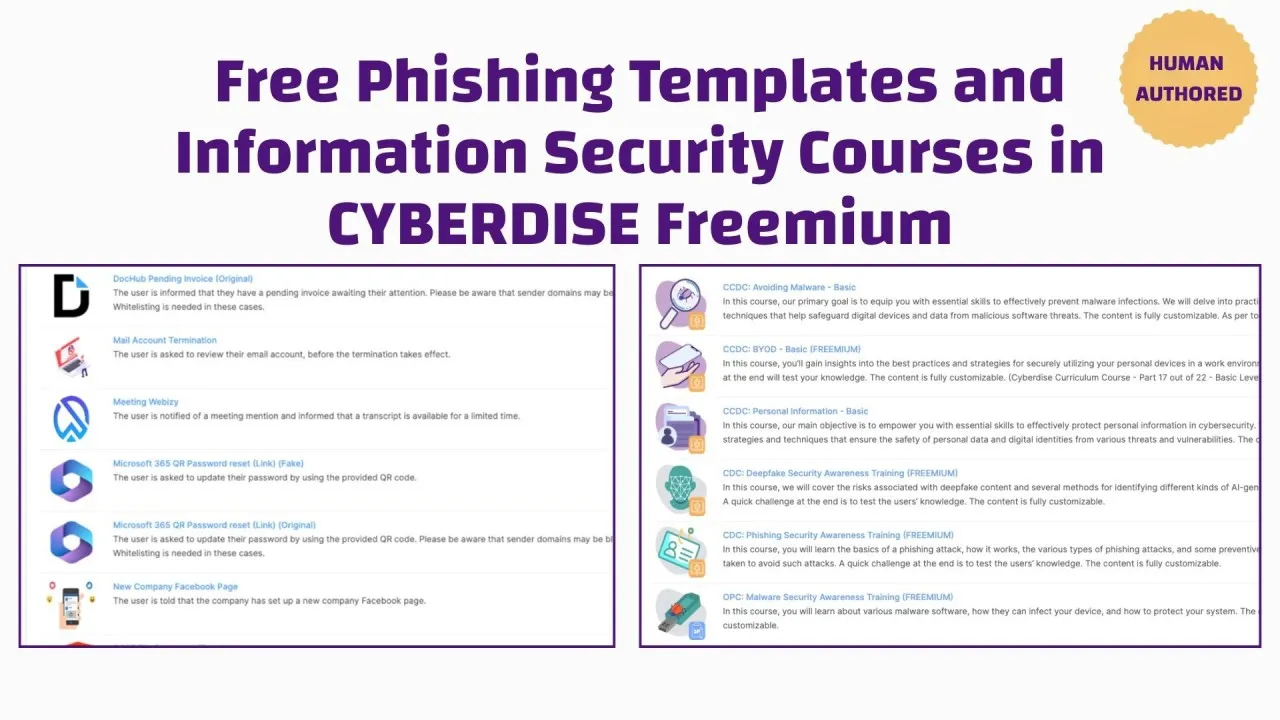
Over thirty new templates for phishing simulations are now available for download.
Why employees need phishing simulations
Training alone is not enough! Majority of successful cyber-attacks start with a phishing email that has not been detected by an employee. That’s why it’s really essential all employees undergo a phishing simulation training. Such a ‘phishing training’ is much more realistic than any eLearning and helps to keep the staff’s attention.
Up-to-date templates, adapted to the company
You don’t need an infinite number of phishing simulations for a healthy awareness. No company needs 500 templates or more. But the templates should be up-to-date and relevant. That’s why Cyberdise has been creating new templates for phishing exercises since the beginning of 2024.
These phishing module templates help the Cyberdise operator to quickly create a phishing simulation campaign and all templates can also be adapted to the individual needs of the company. It’s important to include the context of the company in a phishing simulation because the real phishing attacks are getting more and more sophisticated and that’s a fact! Please note that it hardly ever makes sense to create a phishing exercise / phishing simulation so good that (too) many employees fall for it. In such a case, the educational and awareness-raising effect is lost.
New phishing simulation templates for April 2024
The following phishing simulation templates are now available for download in Cyberdise and can be used in phishing campaigns.
Multilingual templates for phishing exercises:
Account Password Change: The user is asked to change their password to safeguard their account.
Account Security Alert: The user is asked to upgrade his email account due to server upgrade.

Amazon Account Verification: To ensure account security, users must verify their account by logging in.
AMAZON: login verification: Customers are given a security verification for logging in.

Apple Account Verification: We suspect that an unauthorized individual has gained access to your account.

Booking.com Verification Account: The user will be asked to confirm their intention to keep the reservation because the payment was unsuccessful.

ChatGPT Account Creation: The user is asked to install the Chrome add-on.

Dropbox Corporate Policies: The user's employment agreement has been updated to incorporate the latest company policies.

Facebook Restricted Account: The user is requested to review their content to avoid account restriction.
Generated Message Activate Now!: The user is asked to follow the given steps to activate APD Single Sign-On.
Hyperlink: Account Security Alert: The user is asked to update their account now.
Hyperlink: Generated Message Activate Now!: The user is asked to update their account now.
Hyperlink: New Banking Security Alert: The user is asked to confirm their account.
Hyperlink: Password Check: The user is asked to verify their password.
Hyperlink: System Maintenance: The user is asked to anticipate scheduled system maintenance tomorrow.
Hyperlink: Your Account is Locked: The user is asked to address a detected compromise of their account.

LastPass Update Account: The user has been asked to update their account due to some suspicious activity.

LinkedIn Account Verification: The user must verify their LinkedIn account to prevent fraud.

MS Teams Invitation: The participant is receiving a notification that 3 participants are currently waiting for them in the meeting.

Netflix Membership Cancellation: User is notified about the cancellation of their Netflix account.
New Banking Security Alert: The user is asked to login his/her account to enable the new account security update from his/her bank

Password Check: The user is asked to check his password strength as part of the company's regulatory compliance.

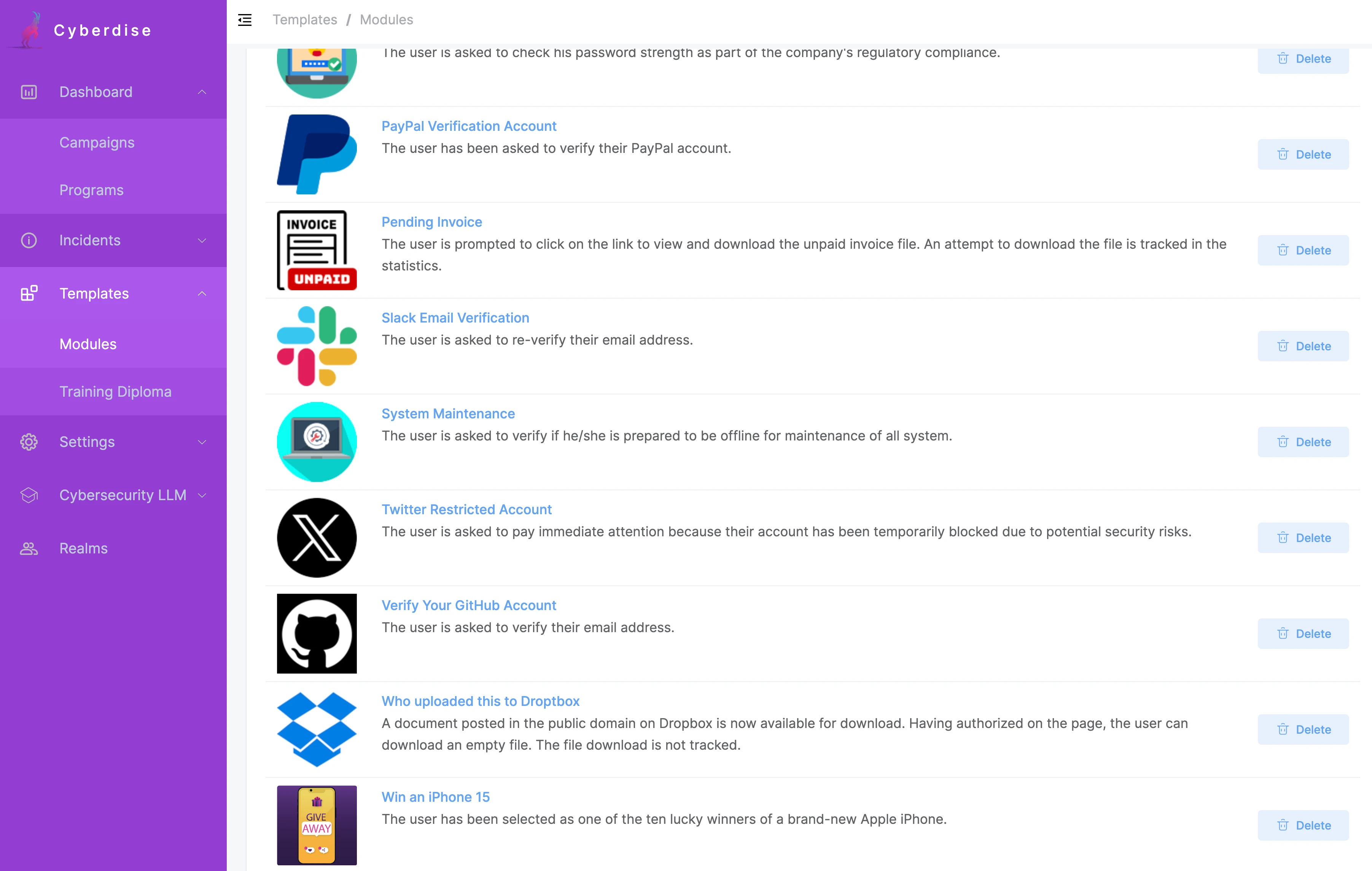
PayPal Verification Account: The user has been asked to verify their PayPal account.
Pending Invoice: The user is prompted to click on the link to view and download the unpaid invoice file. An attempt to download the file is tracked in the statistics.

Slack Email Verification: The user is asked to re-verify their email address.

System Maintenance: The user is asked to verify if he/she is prepared to be offline for maintenance of all system.

Twitter Restricted Account: The user is asked to pay immediate attention because their account has been temporarily blocked due to potential security risks.

Verify Your GitHub Account: The user is asked to verify their email address.

Who uploaded this to Droptbox: A document posted in the public domain on Dropbox is now available for download. Having authorized on the page, the user can download an empty file. The file download is not tracked.
Win an iPhone 15: The user has been selected as one of the ten lucky winners of a brand-new Apple iPhone.
Your Account is Locked: The user was notified that on the link he/she can unlock his account that being compromised