Consider an illustrative supplier-payment scam. A finance colleague receives a convincing request to change a supplier’s bank details. The response you want is specific: pause the payment, verify the request through an established contact, and report the suspicious message.
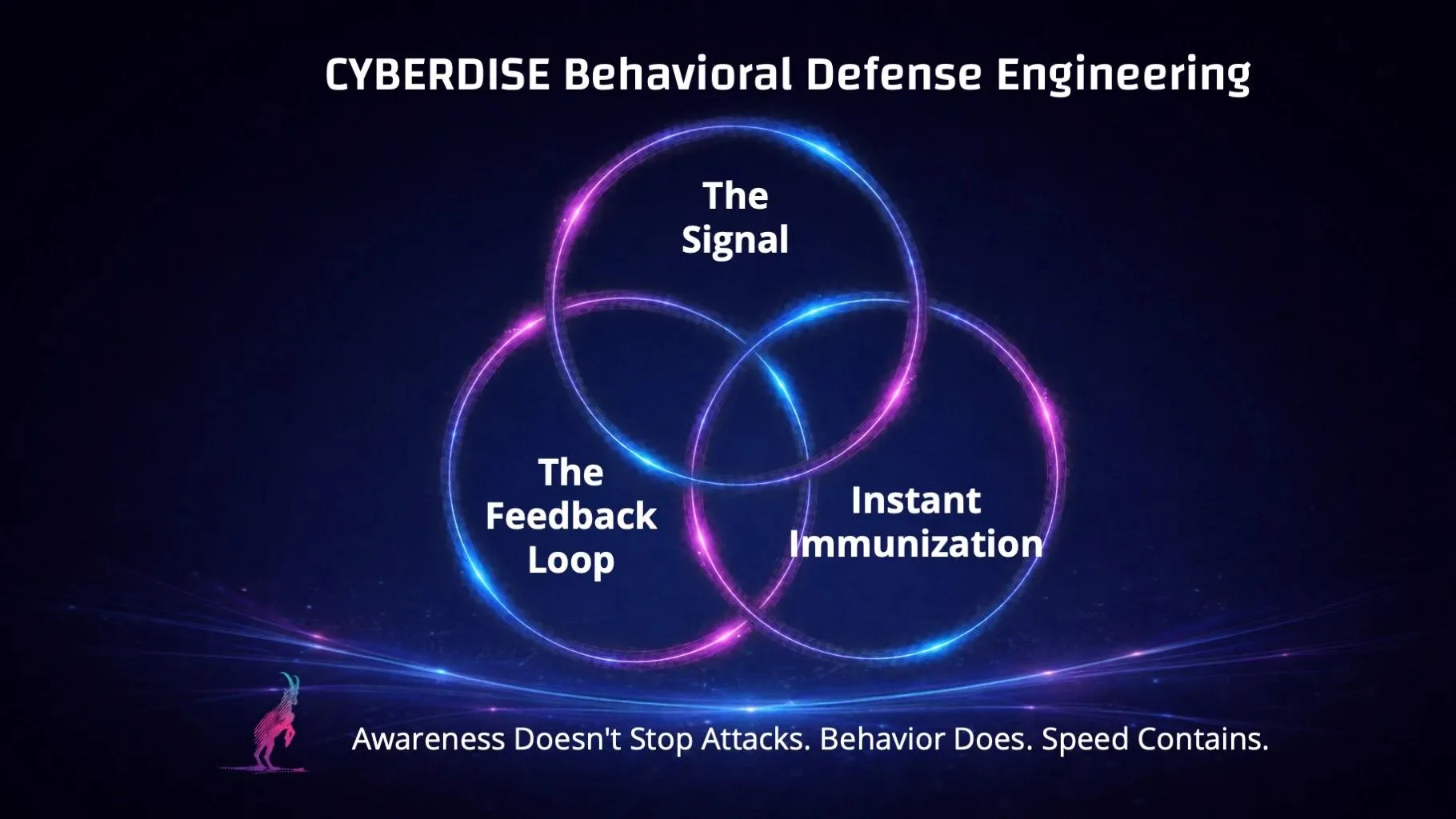
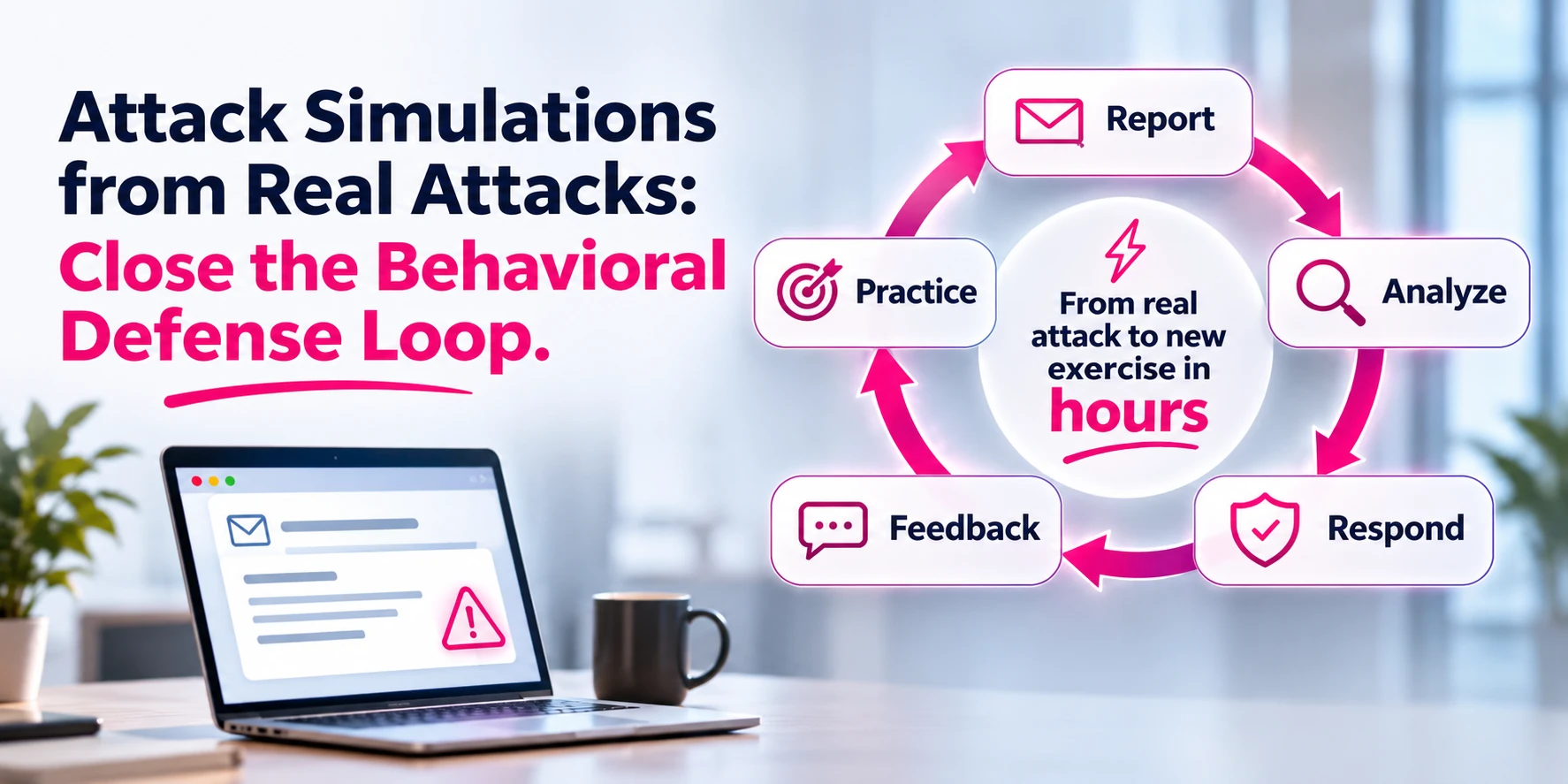
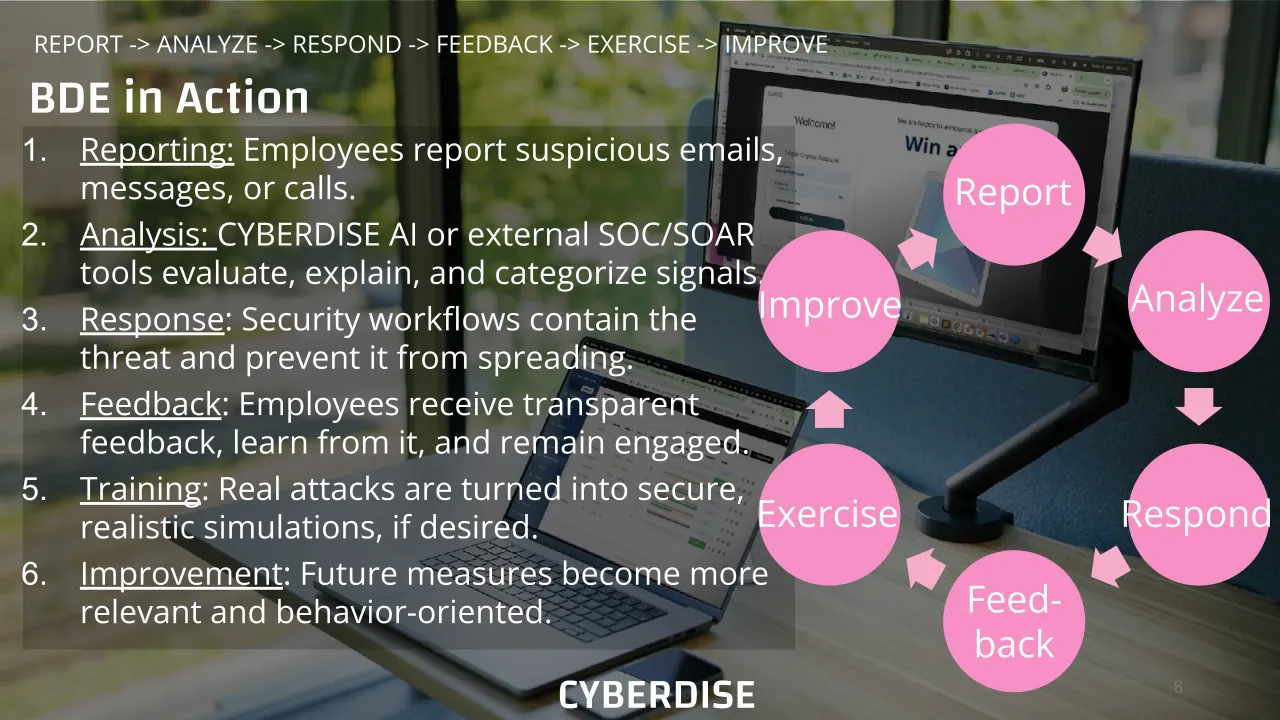
Cyberdise’s Behavioral Defense Engineering (BDE) connects those human decisions with security operations through a continuous loop: Report → Analyze → Respond → Feedback → Exercise → Improve. Employees take an active role in defending the organization.
Build the exercise around the decision
A real phishing attempt reveals more than a convincing design. It shows the action the attacker wanted someone to take: approve a payment, disclose information, enter credentials or bypass a normal check.
Use that decision as the starting point when you build a phishing simulation from a real attack. In the supplier example, the objective is to practice the verification procedure under pressure. A later exercise can change the supplier, wording and timing to test whether the employee applies the same procedure to a new situation.
Define the desired action before building the message. That gives the exercise a clear purpose and makes its results easier to interpret.
Connect phishing reporting to analysis and response
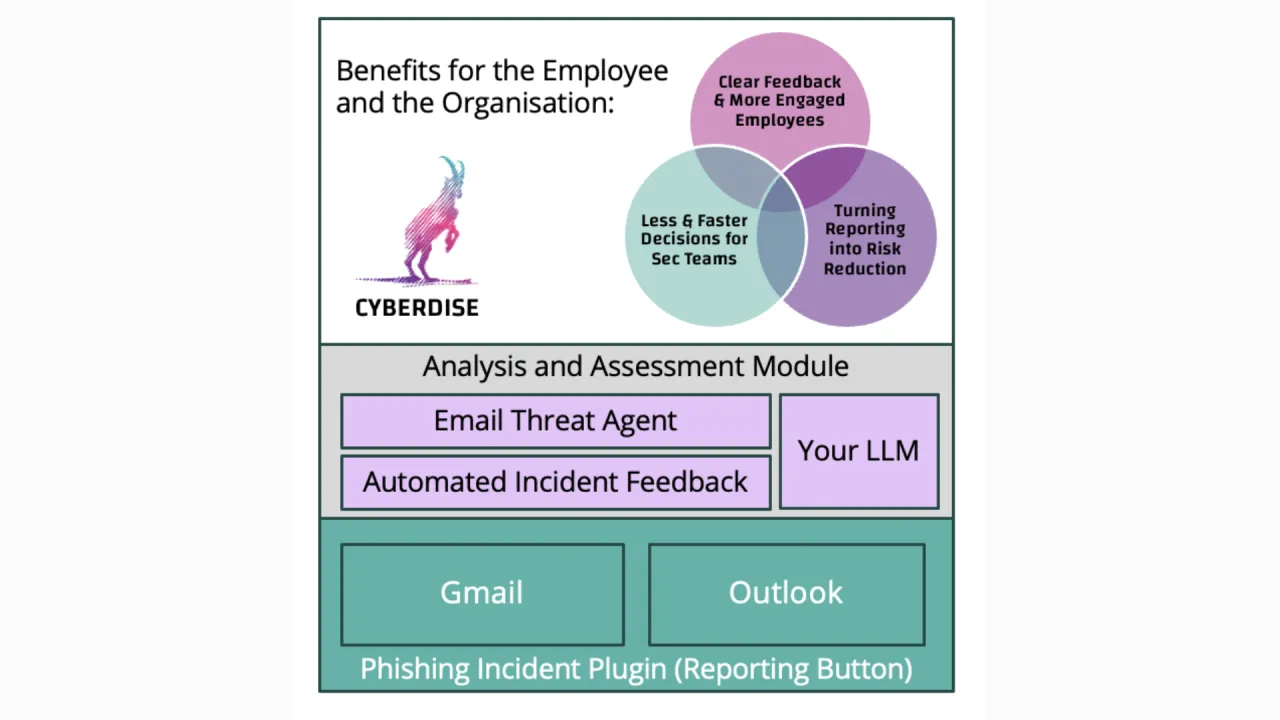
The Report-a-Phish Button lets employees report suspicious messages from Outlook or Gmail. In the Incident Inbox, message checks and the AI Message Analyzer provide a score and an explanation to support the operator’s review.
Reports of the same attack can be grouped into one incident. Case automations and REST API integrations connect that incident with existing SOC and SOAR workflows. Depending on the configured tools, permissions and rules, response actions can include escalation, blocking a sender or removing messages from inboxes.
In the supplier scenario, the employee’s report gives the security team an opportunity to investigate the request and protect other recipients. The exercise should help establish whether that handover works.
Turn the message into a safe phishing simulation
Cyberdise’s Mail to Phish provides the bridge from a real email to a simulation template. Before launch, review the material: replace dangerous destinations, check attachments, remove unnecessary personal data and confirm that every interaction stays within the exercise.
The supplier example in Cyberdise, step by step
- 01Report and analyzeEmployee: reports the supplier email with the Report-a-Phish Button. Platform: shows it in the Incident Inbox with message checks and an AI Message Analyzer score. Security tools: take over containment through case automations or REST API integrations, where configured.
- 02Create the templatePlatform: Mail to Phish turns the reported email into a simulation template.
- 03Review and approveOperator: replaces dangerous destinations, checks attachments, removes unnecessary personal data, adapts language and audience, then approves the exercise for finance and procurement.
- 04Run and recordPlatform: sends the exercise and records clicks, submitted data, opened files and reports. Operator and SOC: record actions outside the platform, such as the supplier callback, as agreed.
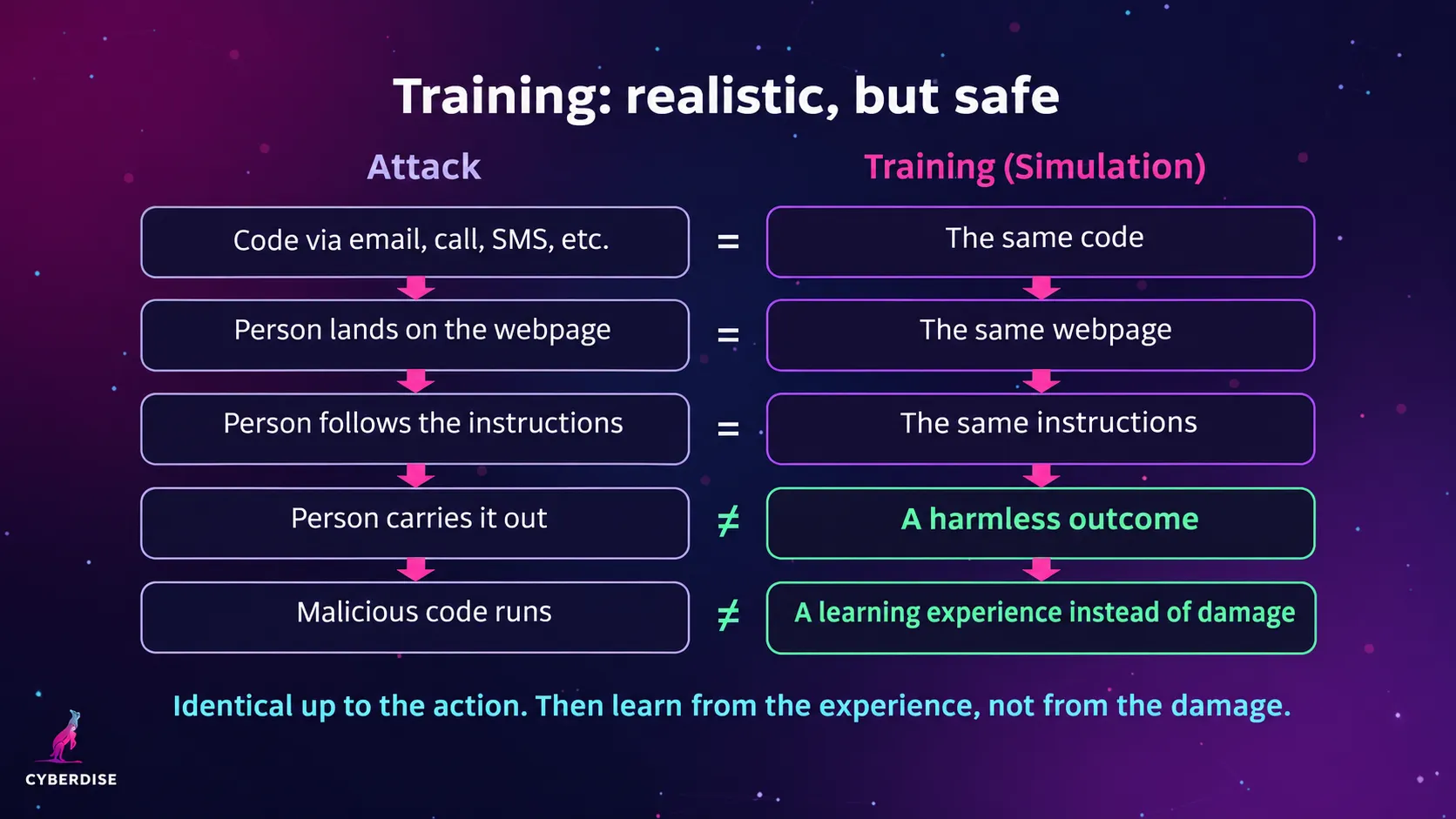
A safe recreation helps employees understand the attack pattern. A later exercise changes the pretext to test whether they apply the same defensive procedure in a new situation.
The AI Campaign Automator lets operators describe the audience, channels, languages and schedule in plain language. Generated campaign material remains subject to operator review and approval. Personalization and the AI Template Translator help adapt the exercise to the people who will receive it.
For the supplier scenario, that could mean a relevant exercise for finance and procurement, with the right language and a clear learning objective: verify a bank-detail change through a trusted route before acting.
Add current external attacks to your own reported incidents
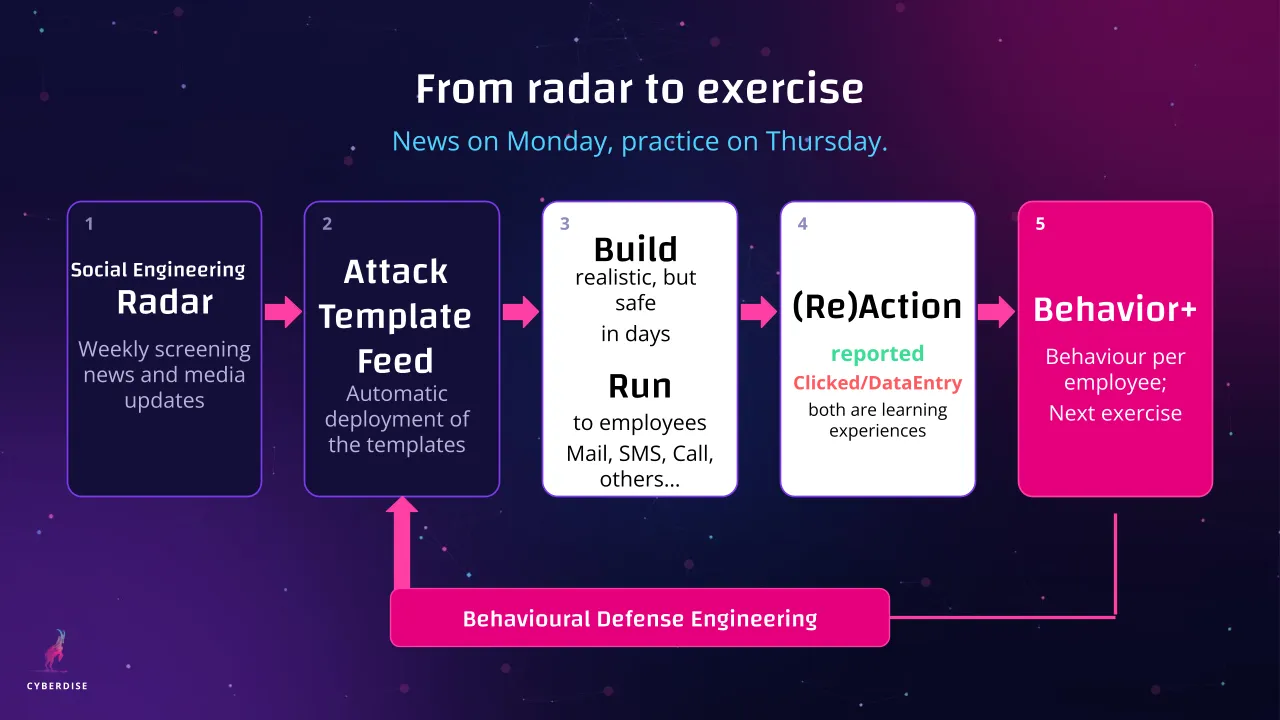
An organization should not have to encounter and report every attack itself before it can practice the relevant response. Cyberdise’s Attack Template Feed complements your own reported incidents with scenarios based on attacks observed elsewhere.
- What arrives: simulation templates in your Cyberdise installation. Operators browse the feed, download the templates they need and prepare them for their own campaigns. Templates are delivered, not sent: an operator decides which ones reach employees.
- How current it is: the Social Engineering Radar reviews news and intelligence about real attacks each week. The feed starts with new releases every two weeks.
- Why it is relevant: the Radar captures the brands being impersonated, the pretexts used and the action attackers want people to take, so operators can match a template to the teams that face that pretext. Language selection and AI translation help adapt it.
- An example: the Berlin attack started with a fake CAPTCHA that led employees to run commands themselves. The reconstructed exercise trains one decision: stop when a familiar-looking security check asks you to execute something, and report it. It was available as a downloadable simulation within 48 hours.
How the Radar, the feed and public context work together is described in Leverage the Dark Side of the Web for the Better.
Give the reporting employee a useful answer
Feedback is part of the defense loop. Cyberdise supports configurable automatic replies in the reporter’s language, with different responses for exercises and external messages.
Use that response to acknowledge the action and explain the next step. For an exercise, reinforce what the employee did well. For a message still under investigation, distinguish acknowledgment from a confirmed verdict.
In the supplier example, practical follow-up should explain how to verify a changed bank account using an existing contact. The next exercise can then test that behavior with a different pretext.
Measure what happens across the whole loop
Cyberdise records observed actions such as clicks, submitted data, opened files and reports. Use those behavioral results alongside your security team’s operational timestamps to evaluate the workflow.
Define each measure consistently and compare exercises with similar difficulty and audiences. An easier scenario can lower the click rate without demonstrating better decisions. Agree reporting and response timestamps with your SOC so everyone measures the same events. For actions outside the platform, such as a supplier callback, agree how the exercise will record whether the check happened.
Make every exercise useful to the defense team
A reported attack can support an immediate response, a useful answer to the employee and a focused exercise for colleagues. Repeated practice then gives you evidence of how people handle the next variation.
Speed matters most after delivery: how quickly the first report reaches the security team, and how quickly the response contains the threat.
That is the purpose of Behavioral Defense Engineering: connect employee action, security operations and continuous practice so each can improve the others.
Awareness doesn’t stop attacks. Behavior does. Speed contains.
Book a Cyberdise demo to explore the journey from a reported message through analysis, response, feedback and a relevant phishing simulation.